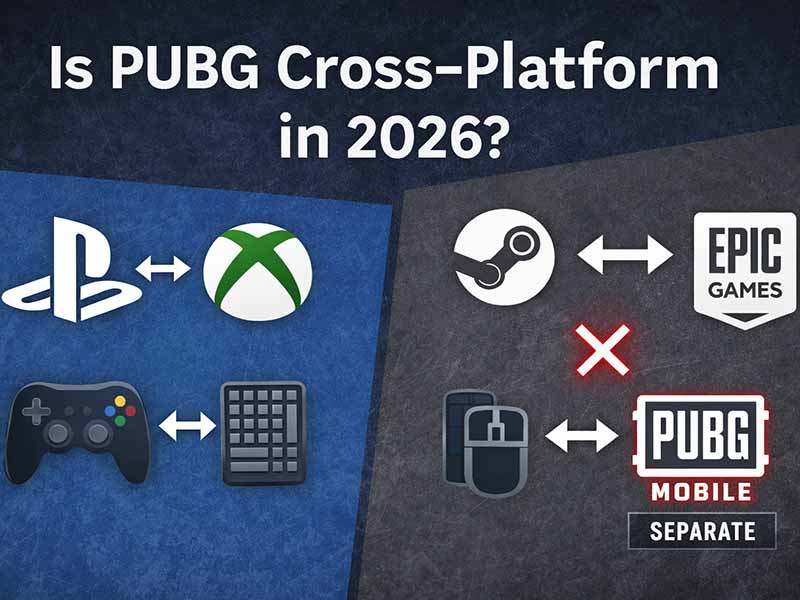
Is PUBG cross-platform in 2026? PS5↔Xbox crossplay on console and Steam↔Epic Games Store on PC, but PC/console pools don’t mix, and PUBG Mobile is separate—table + fixes.
The question of cross-platform in PUBG is more complex than a simple yes/no answer, because “PUBG” can refer to different ecosystems. Most confusion comes from mixing the PC/console game (PUBG: BATTLEGROUNDS) with PUBG Mobile, which runs separate matchmaking and platform rules.
In this post, you’ll learn what cross-platform really means in 2026, which platform combinations actually work, and what to check if invites, squads, or matchmaking don’t work—especially when one player is on PC and the other is on console.
Quick Answer
- Console crossplay: PlayStation and Xbox can play together (same console pool).
- PC crossplay: Steam and Epic Games Store can play together (same PC pool).
- PC ↔ Console: No shared matchmaking pool.
- Mobile: Android and iOS typically share mobile lobbies, but mobile is not in the same pool as PC/console.
Can you really play PUBG cross-platform?
The short answer: PUBG is partially cross-platform.
- On console, cross-platform play matches PlayStation and Xbox players into the same matchmaking pool.
- On PC, crossplay is available between Steam and Epic Games Store.
- PC ↔ console crossplay is not supported as a shared matchmaking pool (as of early 2026).
- PUBG Mobile is a separate ecosystem (no crossplay with PC/console).
PUBG cross-platform compatibility (2026)
Here’s the fast compatibility matrix most people are looking for:
| Platforms | Can you play together? | Notes |
|---|---|---|
| Console (PlayStation ↔ Xbox) | ✅ Yes | Same console matchmaking pool. |
| PC (Steam ↔ Epic Games Store) | ✅ Yes | Crossplay is provided between Steam and Epic Games Store on PC. |
| PC ↔ Console | ❌ No | No shared matchmaking pool as of early 2026. |
| Mobile (Android ↔ iOS) | ✅ Usually yes | Mobile ecosystem; Android and iOS typically share mobile lobbies. |
| Mobile ↔ PC/Console | ❌ No | PUBG Mobile is a separate game ecosystem from PC/console PUBG. |
Console crossplay: how to enable it (PS5 / Xbox Series X|S)
If you and your friend are on console, the key is making sure Cross-Platform Play is enabled.
Settings path: Settings → Gameplay → General Settings → Cross Platform Play
Quick steps
- Open Settings.
- Go to Gameplay.
- Open General Settings.
- Set Cross Platform Play = On.
- Return to the lobby and retry invites/matchmaking.
Tip: If you turn crossplay off, matchmaking can become slower because you’re limiting your pool.
Important console note for 2026 (legacy consoles ended)
After the Nov 13, 2025 maintenance, PUBG Console is supported only on PlayStation 5 and Xbox Series X|S. It is no longer downloadable/playable on PlayStation 4 or Xbox One. Your account data and purchased items are preserved when you move to a supported console.
PC crossplay: Steam ↔ Epic (what it actually means)
On PC, “cross-platform” mostly means cross-launcher.
PUBG’s Epic Games Store release notes state that crossplay is provided between Steam and the Epic Games Store on PC, and there is no on/off crossplay toggle for that pairing.
So if you’re on Steam and your friend is on Epic:
- You’re in the same PC ecosystem.
- You should be able to match in the same pool (then it’s down to friend invites, regions, and matchmaking rules).
PUBG Mobile: Android and iOS, but mobile stays separate
PUBG Mobile has its own independent ecosystem. If you’re trying to play PUBG Mobile with PC/console friends, that’s not possible. There’s no official crossplay between PUBG Mobile and PUBG: BATTLEGROUNDS.
For mobile-to-mobile play, Android and iOS players typically share mobile lobbies. If you link your account, you can also keep the same game information across different operating systems (useful if you switch devices).
Cross-progression (skins & progress): don’t assume it’s included
Crossplay does not automatically mean your skins, currency, or progression will carry across every platform combination.
PUBG uses KRAFTON’s account system (KRAFTON ID) for account services and linking. A safe rule for readers is: link accounts where it’s supported, but check platform-specific rules before expecting cosmetics or progress to transfer.
Why PUBG doesn’t mix PC and console matchmaking
Even if you don’t care about “platform politics,” there are practical reasons PUBG keeps pools separate:
- Input advantage: mouse/keyboard vs controller.
- Performance differences: frame rate and graphics settings can affect fights.
- Competitive integrity: fairness and anti-cheat approaches differ across ecosystems.
This is why PUBG’s crossplay is “limited pools” rather than “everyone plays together.”
Troubleshooting: cross-platform isn’t working
If crossplay “should work” but doesn’t, run this quick checklist:
- Confirm you’re on the same ecosystem: PUBG: BATTLEGROUNDS (PC/console) vs PUBG Mobile (mobile).
- Console: check the Cross Platform Play toggle (Settings → Gameplay → General Settings → Cross Platform Play).
- PC: Steam ↔ Epic is fine, but don’t expect PC ↔ console (pools don’t mix).
- If someone is on PS4/Xbox One: they can’t play PUBG Console after Nov 13, 2025.
- Version/region mismatch: different client versions or server regions can block parties/matches, especially around major updates.
FAQ
Is PUBG cross-platform between PS5 and Xbox Series X|S?
Yes. With cross-platform play enabled, PlayStation and Xbox players can match together in the console pool.
Can Steam and Epic play PUBG together?
Yes. PUBG provides crossplay between Steam and Epic Games Store on PC.
Is PUBG cross-platform between PC and console?
No. PC and console matchmaking pools don’t mix as of early 2026.
Can PUBG Mobile play on PC or console?
No. PUBG Mobile is separate from PUBG: BATTLEGROUNDS and doesn’t crossplay with PC/console.
Where do I turn on crossplay on console?
Settings → Gameplay → General Settings → Cross Platform Play.
Does PUBG still work on PS4 or Xbox One?
No. PUBG Console ended support for PS4 and Xbox One after the Nov 13, 2025 maintenance.
Conclusion
PUBG is cross-platform in a limited (but useful) way: console crossplay works between PlayStation and Xbox, and PC crossplay works between Steam and Epic Games Store. But PC and console pools don’t mix, and PUBG Mobile remains a separate ecosystem. Use the compatibility table above, enable Cross Platform Play on console, and run the troubleshooting checklist if invites or matchmaking fail.